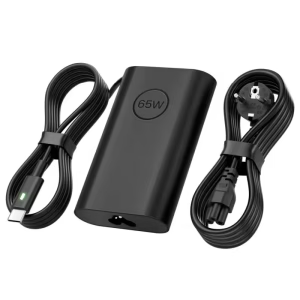
Dell 65W USB-C AC Adapter with Power Cord
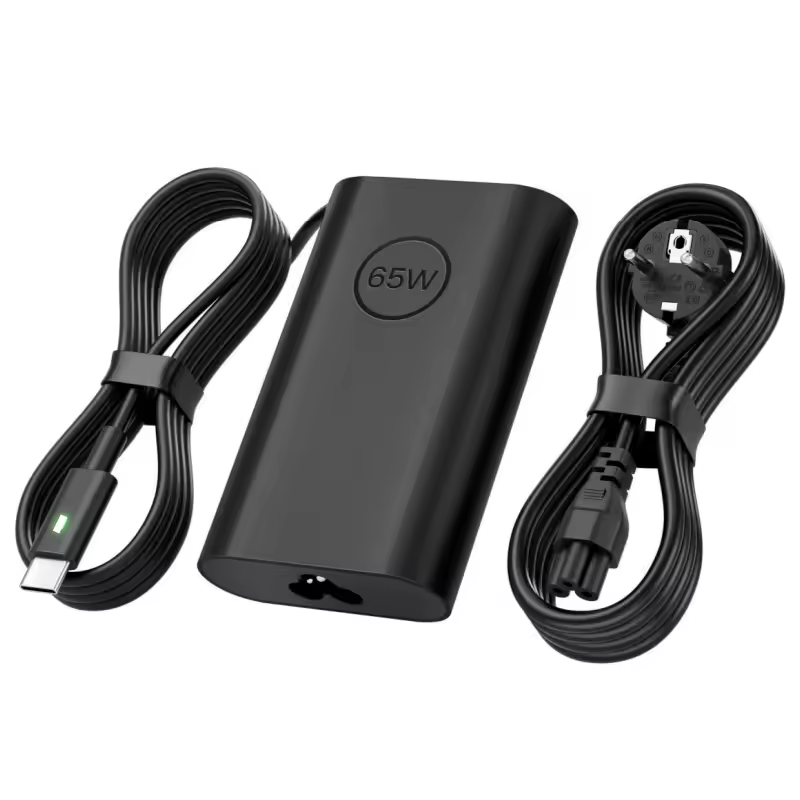
Keep a spare charger at home, at the office, or in your travel bag. The Dell 65W laptop adapter powers your laptop and charges its battery at the same time, so you work without worrying about the battery level. As a result, you don’t have to carry a separate charger back and forth every day. Plus, the included UK power cord plugs directly into Nigerian sockets.
Why choose this adapter?
- 65W of power: It runs your laptop and charges the battery at the same time, so you can work while you charge.
- USB-C connection: A modern USB-C connector replaces the old barrel plug, so it suits current Dell laptops.
- UK power cord included: The 1 m cord fits Nigerian sockets, which saves you buying a separate cable.
- Wide voltage input: It works on 100V to 240V mains, so it runs safely on local power.
- LED light ring: A light ring on the connector shows when the adapter is powered, so you can check it quickly.
- Built-in cable strap: A rubber strap keeps the cable tidy, which helps in a laptop bag.
- Original Dell quality: Dell designs it to match your laptop’s needs, so you avoid the heat and poor charging common with cheap copies.
Which laptops work with the Dell 65W laptop adapter?
This adapter is listed for many Dell laptops that charge over USB-C at 65W. These include selected Latitude models (such as the 3320, 3420, 5320 2-in-1, 5420, 5520, 7320, 7420 and 7520), the XPS 13 9305, selected Inspiron 13 and 7000 models, the Vostro 13 5310, and several Chromebooks. It also suits the Precision 3560 and 3570. However, it does not suit laptops that need more than 65W, so check your model before you buy. Not sure yours fits? Send us your laptop model, and we will confirm before you order. You can also read Dell’s official support site.
Specifications
- Brand: Dell
- Model: Dell 65W USB-C AC Adapter, UK
- Part number: DELL-7KXWY
- Output power: 65W
- Connector: USB Type-C
- Input voltage: 100V to 240V AC
- Power plug: UK (Type G)
- Power cord length: 1 m
- LED indicator: Yes (light ring on the connector)
- Colour: Black
- In the box: Adapter, UK power cord
Tips for safer charging
First, plug the adapter directly into a wall socket or a good surge protector, because Nigerian mains can fluctuate. Next, do not cover the adapter while it charges, since it warms up in use. Also, check that your laptop’s USB-C port supports charging. Finally, store the cable loosely, so you do not bend it sharply and damage it.