

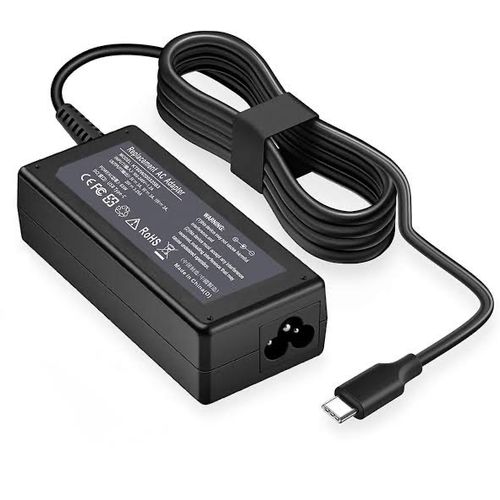
HP USB-C 65W Laptop Charger
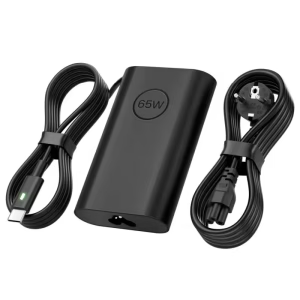
Replace or add a charger without carrying a heavy brick. The HP 65W laptop charger uses a single USB-C connection, so it powers your laptop, tablet, and even your phone. As a result, you pack one charger instead of three. In addition, its compact, travel-size design fits easily into any bag.
Why choose this charger?
- Up to 65W of power: It charges most USB-C laptops quickly, so you spend less time plugged in.
- Smart power delivery: The charger adapts its output (15W, 27W, 60W, or 65W) to match your device, which keeps charging efficient and safe.
- One charger for many devices: It works with laptops, tablets, and phones that charge over USB-C, so you reduce charger clutter.
- Travel-size design: The slim, lightweight unit also includes built-in cable management, so your bag stays tidy.
- Original HP quality: HP builds it to strict standards, so you avoid the overheating and poor charging common with cheap copies.
Which devices work with the HP 65W laptop charger? (verify)
This charger works with most laptops, tablets, and phones that charge through a USB-C port with USB Power Delivery. For example, it suits many HP EliteBook, ProBook, and Spectre laptops. However, it does not fit older laptops with a round barrel plug or HP’s blue-tip connector. Not sure your device works with it? Check your laptop model on HP’s official support site, or send us your model and we will confirm before you order.
Specifications
- Brand: HP
- Model: HP USB-C 65W Laptop Charger
- Part number: 671R3UT
- Output power: 65 W maximum
- Output voltages: 5 V, 9 V, 12 V, 15 V, 20 V
- Connector: USB Type-C
- Input frequency: 47 to 63 Hz
- Colour: Black
- Type: Genuine HP AC power adapter
Tips for safer charging
First, plug the charger directly into a wall socket or a good surge protector. Next, avoid covering the adapter while it charges, because it warms up in use. Also, check that your laptop’s USB-C port supports charging, since some ports only transfer data. Finally, store the cable loosely, so you do not bend it sharply and damage it.