
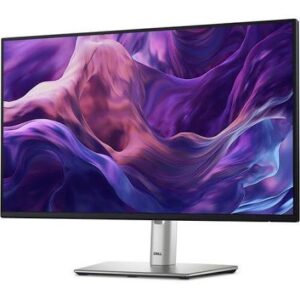
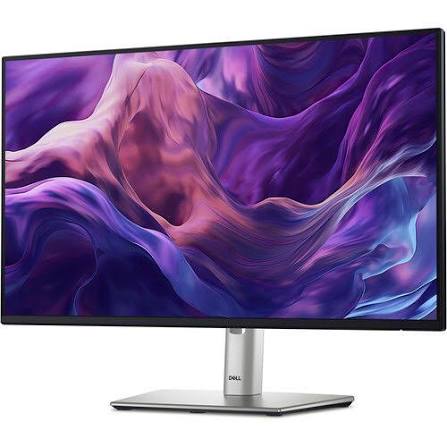
Dell P2425H monitor: a sharp, comfortable display for everyday work
Work in clear detail for hours without tiring your eyes. The Dell P2425H monitor gives you a 23.8-inch Full HD IPS screen, so text stays crisp and colours look consistent from any angle. As a result, you see your documents, spreadsheets and video calls clearly. In addition, the 100Hz refresh rate makes scrolling and cursor movement look smoother than on a standard 60Hz screen.
Why choose this monitor?
- IPS panel: Wide 178-degree viewing angles keep colours steady, so a colleague beside you sees the same picture.
- Full HD resolution: The 1920 x 1080 display shows plenty of content, which suits office work.
- 100Hz refresh rate: Motion looks smoother, so long work sessions feel easier.
- Eye comfort: ComfortView reduces blue light, and the flicker-free screen helps your eyes in long sessions.
- Adjustable stand: You can change the height, tilt, swivel and pivot, so you set the screen where it suits you.
- Built-in USB hub: USB ports on the monitor let you plug in a keyboard, mouse and drives without reaching under your desk.
- Energy-conscious design: The monitor holds ENERGY STAR 8.0 certification and an EPEAT Gold rating.
Which devices connect to this monitor?
The monitor connects through HDMI, DisplayPort and VGA, so it works with new laptops, desktop PCs and older office computers. However, the USB-C port on this model carries data and power only, up to 15W, and it does not carry video. Connect your laptop with an HDMI or DisplayPort cable instead. Not sure which cable you need? Send us your computer model, and we will advise before you order. For full technical details, visit [Dell’s product page].
Specifications
- Brand: Dell
- Model: P2425H
- Screen size: 23.8 inches
- Resolution: 1920 x 1080 (Full HD)
- Panel: IPS, anti-glare
- Refresh rate: 100Hz
- Brightness: 250 cd/m² (typical)
- Contrast ratio: 1,500:1 (typical)
- Viewing angle: 178 degrees horizontal and vertical
- Colour coverage: 99% sRGB
- Video inputs: 1 HDMI, 1 DisplayPort, 1 VGA
- USB: 1 upstream USB-B, 3 downstream USB-A (USB 3.2 Gen 1), 1 downstream USB-C (data, up to 15W)
- Adjustment: Height, tilt, swivel, pivot
- Mounting: VESA 100 x 100 mm
Tips for setting up your monitor
First, place the top of the screen at or just below eye level, so your neck stays relaxed. Next, sit about an arm’s length from the screen. Also, connect the USB upstream cable to your computer, because this activates the monitor’s USB ports. Finally, use the pivot function if you edit long documents, since a vertical screen shows more lines of text.