G-DRIVE 22TB Desktop Hard Drive
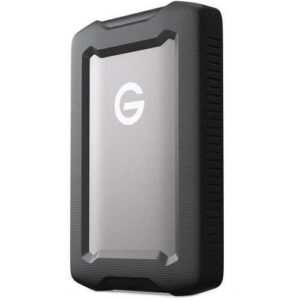
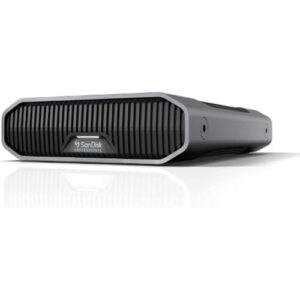
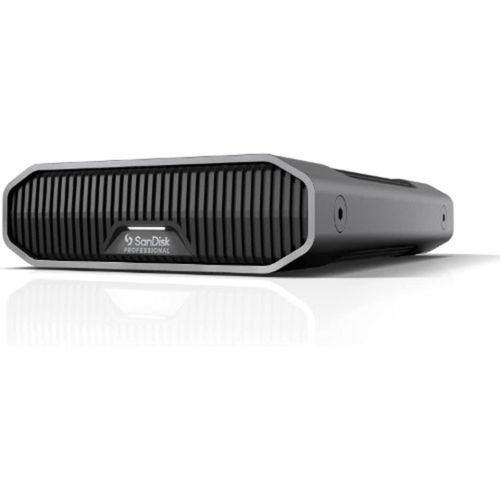
Store your biggest projects in one reliable place. The G-DRIVE 22TB is a high-capacity desktop hard drive made for video editors, photographers, studios, and offices that handle large files. As a result, you keep footage, backups, and archives together instead of spreading them across many small disks. In addition, its premium aluminium enclosure looks good on any desk.
Why choose this drive?
- 22TB of space: One drive holds hours of high-resolution video and thousands of photos, so you manage fewer disks.
- Enterprise-class drive inside: A 7200 RPM Ultrastar hard drive delivers dependable performance for demanding workloads.
- Fast USB-C connection: USB 3.2 Gen 2 (10Gbps) supports read and write speeds of up to 280MB/s, so large backups finish sooner.
- Premium aluminium enclosure: The anodised, stackable body helps with cooling, and it also adds durability.
- Built for production work: Anchor points let you attach it to a DIT cart, a mounting plate, or other gear.
- Adjustable LED light: Three brightness modes let you dim the light in a dark studio.
Who is the G-DRIVE 22TB for? (verify)
The G-DRIVE 22TB suits video editors, photographers, content studios, and businesses that need large local backups. It arrives ready for Mac and works with Apple Time Machine. However, Windows users need to reformat it before first use. Not sure it fits your setup? Send us your computer model, and we will confirm before you order. You can also read SanDisk Professional’s official product page.
Specifications
- Brand: SanDisk Professional
- Model: G-DRIVE Desktop Hard Drive
- Part number: SDPHF1A-022T-MBAAD
- Capacity: 22TB
- Type: External desktop hard drive (3.5-inch drive inside)
- Drive speed: 7200 RPM (Ultrastar enterprise-class)
- Interface: USB 3.2 Gen 2, USB-C (10Gbps)
- Speed: up to 280MB/s read and write
- Format: APFS (Mac-ready), reformat for Windows
- Enclosure: Anodised aluminium, stackable, with anchor points
- Colour: Space Grey
- Power: AC adapter (included)
- In the box: Drive, USB-C to USB-C cable, power supply
Tips for protecting your data
First, plug the drive into a surge protector or UPS, because sudden power cuts can damage a spinning drive. Next, eject it safely before you unplug it. Also, back up your most important files to a second location. Finally, keep it in a well-ventilated spot, so the drive stays cool.