
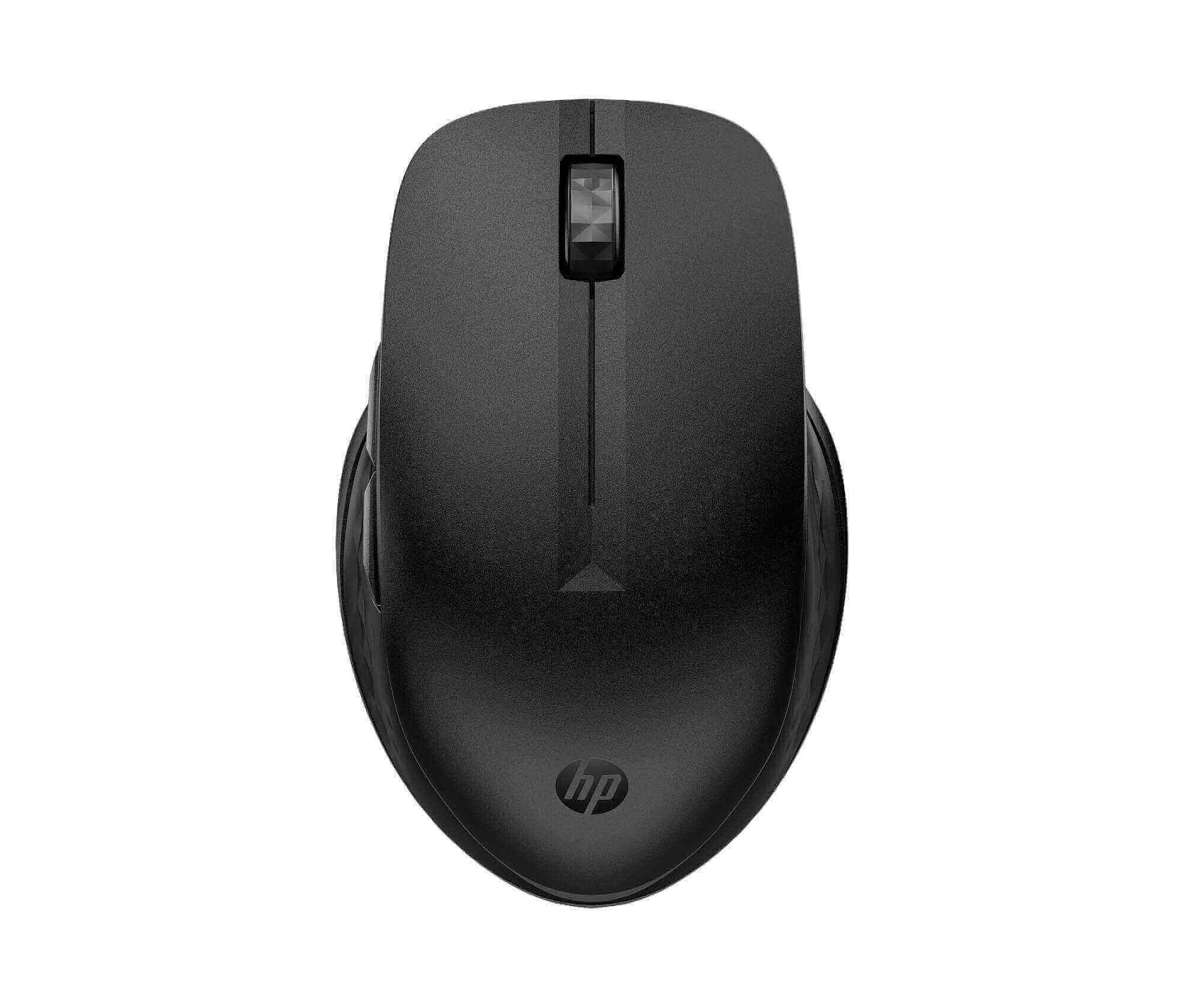
HP 435 Multi-Device Wireless Mouse
Work smoothly across your laptop, desktop, and tablet with one mouse. The HP 435 wireless mouse connects to two devices at once, so you switch between them with a single button. As a result, you skip the hassle of unplugging and re-pairing. In addition, its comfortable, ambidextrous shape suits both left-handed and right-handed users.
Why choose this mouse?
- Two devices, one mouse: Connect by Bluetooth or the included USB dongle, then switch between devices at the press of a button.
- Up to 24 months of battery life: A single AA battery (included) lasts for years of normal use, so you rarely replace it.
- Precise tracking: Adjustable sensitivity up to 4000 DPI gives you accurate control, from detailed edits to wide screens.
- Works on most surfaces: The multi-surface sensor tracks smoothly on desks, mouse mats, and even glass.
- Customisable buttons: Four programmable buttons let you set shortcuts that speed up daily tasks.
- Wide compatibility: It works with Windows, macOS, and Chrome OS, so it suits mixed office setups.
Which devices work with the HP 435 wireless mouse? (verify)
This mouse works with laptops, desktops, and tablets that run Windows, macOS, or Chrome OS. For Bluetooth, your device needs Bluetooth support. For the dongle, it needs a free USB-A port. However, if your laptop has only USB-C ports, use Bluetooth instead, or add a USB-C adapter. Not sure it fits your setup? Check HP’s official support site, or send us your device model and we will confirm before you order.
Specifications
- Brand: HP
- Model: HP 435 Multi-Device Wireless Mouse
- Part number: 3B4Q5UT
- Connection: Bluetooth and 2.4 GHz wireless (USB-A dongle)
- Devices: Connects to 2 devices
- Wireless range: 10 m
- Sensitivity: Up to 4000 DPI
- Buttons: 5 (4 programmable), with scroll wheel
- Battery: 1 x AA (included), up to 24 months
- Weight: about 78 g
- Colour: Black
- In the box: Mouse, USB-A dongle, AA battery, quick-start guide, warranty card
Tips for getting the best from your mouse
First, pair the mouse with your main device, and then pair the second device. Next, keep the dongle in the USB port, or store it inside the mouse when you travel. Also, switch the mouse off when you carry it, which saves battery. Finally, clean the sensor on the underside now and then, so tracking stays smooth.